Lutron Caseta Smart Fan Control Review: Worth It?
I swapped my pull-chain ceiling fan for the Lutron Caseta smart fan control. Here's the wiring headache, the app setup, and whether it's worth it.
As an Amazon Associate I earn from qualifying purchases.
Pull chains are dumb. There, I said it. My ceiling fan worked fine, but every time I wanted a different speed I was standing on the bed swatting at a little metal bead in the dark. The Lutron Caseta Smart Fan Control fixes that by putting 4 fan speeds on the wall, in an app, and behind a voice command. That’s the whole pitch, and after living with it, the pitch mostly holds up.
Quick Verdict
The wiring in my fan canopy was the fight, not the switch. Once the Caseta smart fan control was in the wall, I got 4 fan speeds from a button, my phone, and my voice, and I’ve never touched a pull chain since.
Buy if you:
- Are tired of yanking a pull chain in the dark
- Already run Alexa, Google Home, or HomeKit
- Want fan schedules and automations that just work
- Plan to add a Pico remote for wireless wall control
Skip if you:
- Don’t want to open your fan canopy and sort out the wiring, which was the worst part of this whole job
- Refuse to buy the required Caseta smart hub on top of the switch
- Have a fan that isn’t a standard paddle fan
| Fan speeds | 4 speeds plus off |
|---|---|
| Hub | Caseta Smart Hub required |
| Works with | Alexa, Apple Home, Google Assistant, Ring, Sonos |
| Wireless option | Fan Pico remote (sold separately) |
| Fan type | Standard paddle ceiling fan |
I Have Not Touched a Pull Chain Since
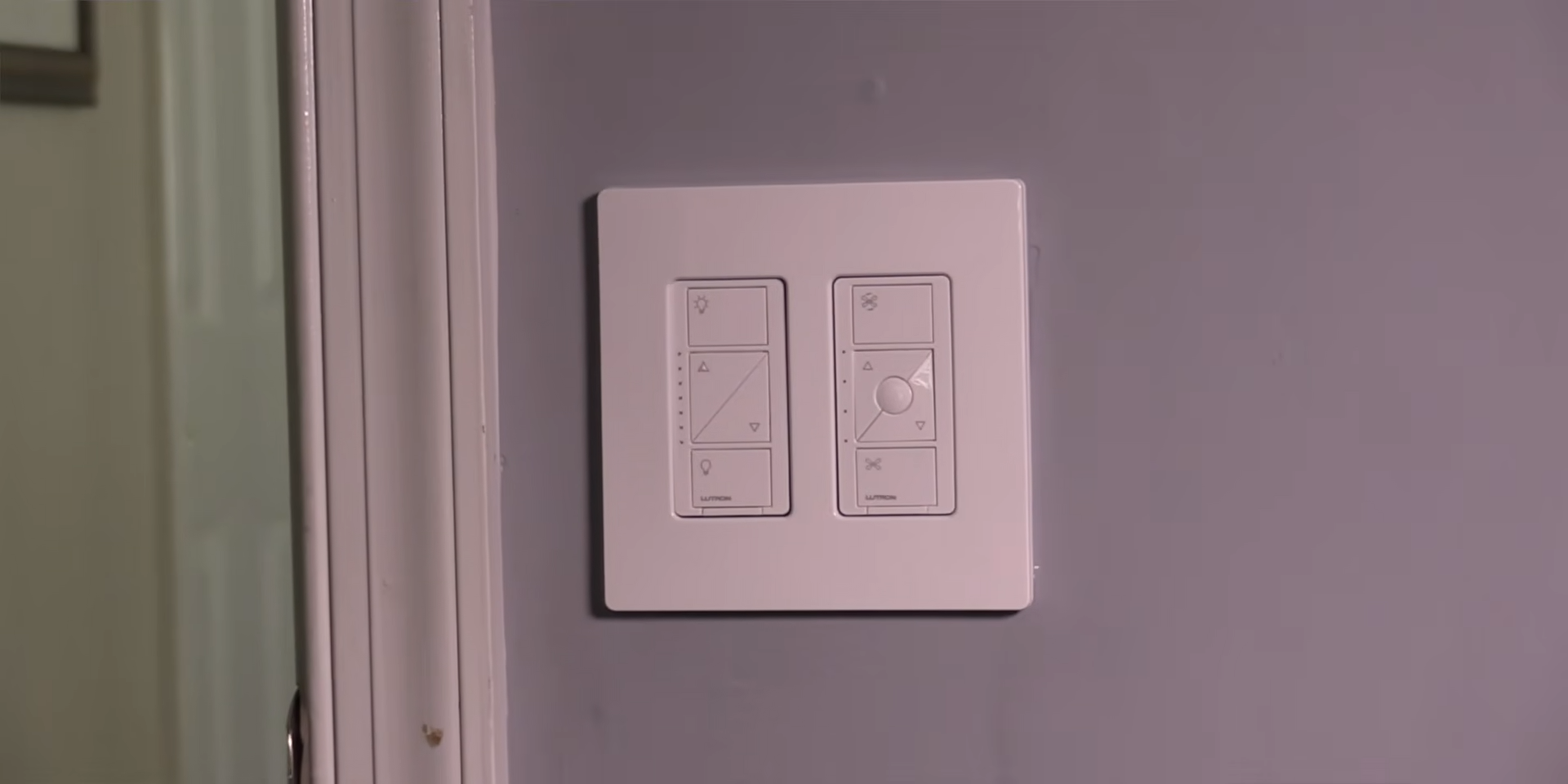
This is a wall switch that turns a regular paddle fan into a caseta smart fan. It’s the same Caseta ecosystem people already use for their caseta smart dimmer switch and caseta smart plug, just tuned for fan motors instead of lights. If you already own the hub, this is the easy part of your smart home. If you don’t, keep reading, because the hub is not optional.
What the Caseta Smart Fan Control Actually Does
Four distinct fan speeds plus off from the wall switch, each press cycling the motor, real speed control instead of pull-chain roulette.
The part that makes it smart is the connection. Lutron leans hard on being the “most connected” platform, and the list backs it up: Amazon Alexa, Apple Home, Google Assistant, Ring, Sonos, and Serena shades all talk to it. But all of that runs through the Caseta smart hub. The switch alone won’t do voice or schedules. You pair it to the hub, the hub does the heavy lifting, and then your phone and your voice assistant get access.
You can also add the Fan Pico remote for wireless control from anywhere in the room. Mount it on a wall bracket and you basically get a second switch without cutting a single hole or running new wire. That’s the trick I’d recommend to anyone who wants a fake 3-way setup.
App Setup Was the Painless Part
The app setup took the least effort of the whole project 4:52. Once the switch was wired and the hub was online, the Lutron app found the device, I pressed the button on the switch to pair it, and speed control was live on my phone in under five minutes. Scheduling the fan to drop to low at 10 p.m. took another two taps, the kind of setup you do once and never think about again.
The ecosystem is stable, the app doesn’t fight you, and once a device is in, it stays in. If you’ve ever wrestled a flaky smart plug that drops off Wi-Fi every week, the difference is obvious. My old fan setup came out first 0:52, the new switch went in, and the software side just cooperated.
The Fan Canopy Wiring Is the Real Job
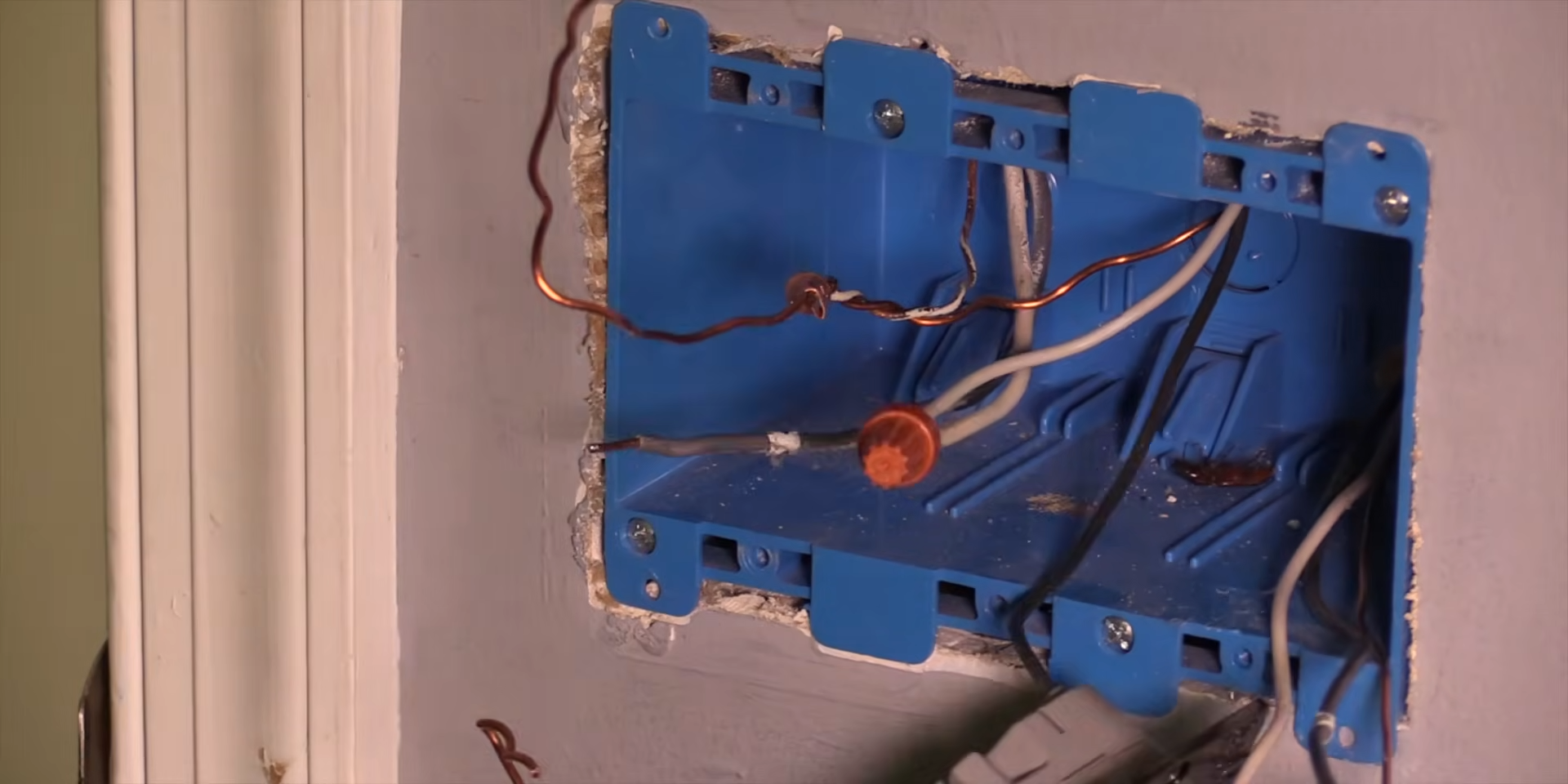
The worst part of this project was the wiring, not the switch 1:09. I’ll be blunt: this is the step that made me want to phone a friend. Getting the wiring sorted out at the fan so the control switch could do its 4-speed thing was fiddly, and it’s the part the box conveniently doesn’t dwell on.
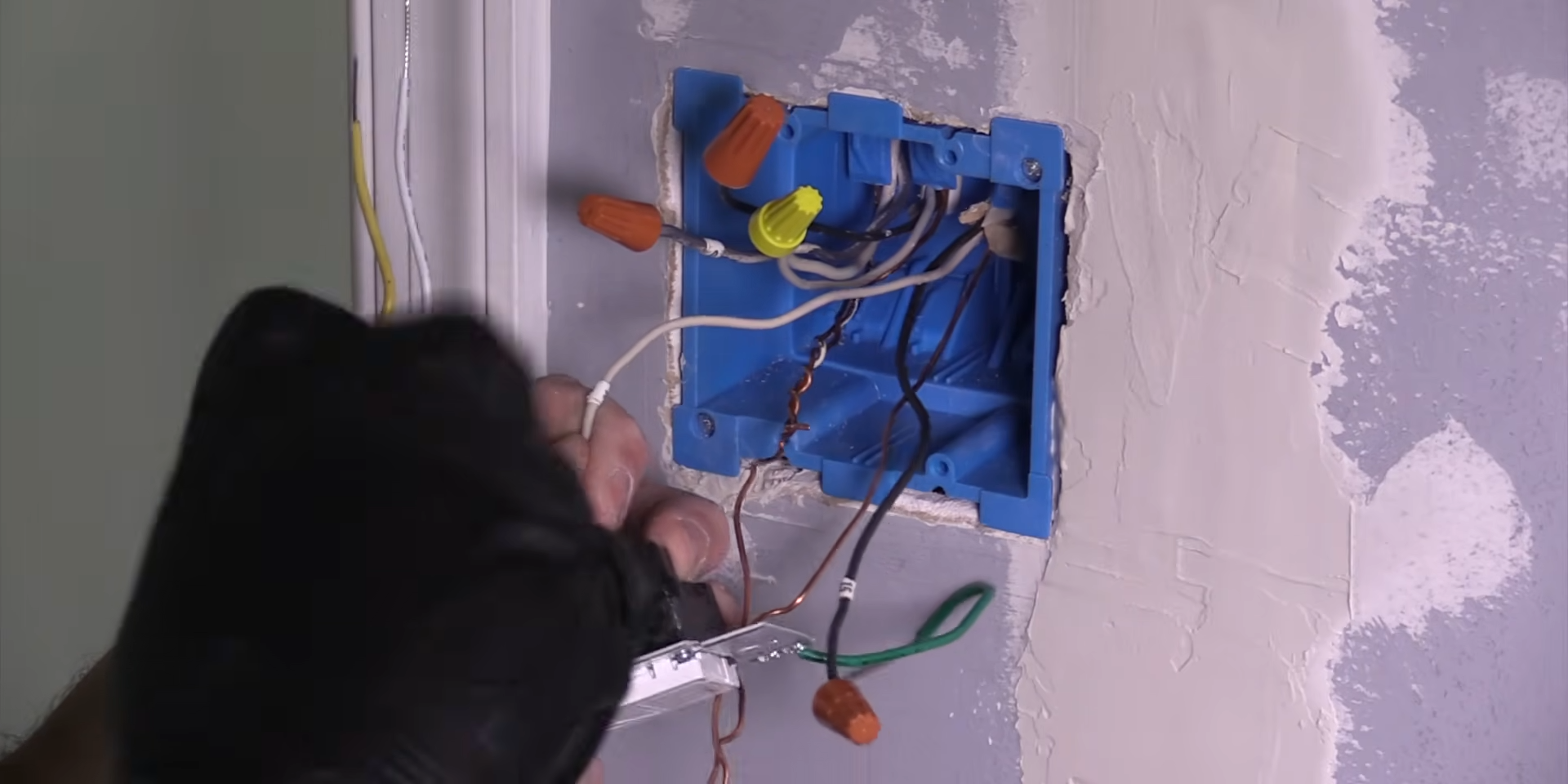
The switch install itself 1:22 is standard smart switch stuff if you’ve done one before. But the fan side is where people underestimate the job. If you’re not comfortable opening up the fan canopy and identifying wires, this crosses from “afternoon project” into “maybe get help” territory. It’s not the switch’s fault. It’s just the reality of retrofitting a dumb fan. Know that going in and you won’t be caught off guard like I almost was.
Get it now
Lutron Caseta Smart Fan Control
Get the best price on Amazon →As an Amazon Associate I earn from qualifying purchases.

Who This Caseta Smart Fan Is Really For
If you already own a Caseta dimmer or plug, this is the no-brainer purchase you’ve been putting off, same app, same hub, no new accounts, no new learning curve. The fan control just appears in your existing device list. If you’re starting from scratch with zero Caseta gear, price in the hub before you decide, because that changes the math.
It earns its place most in the bedroom. I set a schedule that kicks the fan to high at 9 p.m. and steps it down to low by midnight, the kind of thing that sounds trivial until you realize you haven’t manually touched a fan speed in weeks. Saying “Hey, turn the fan to low” from bed without moving is the win that actually sticks. Renters in a wiring-friendly situation can do this too, but the fan-canopy work makes it lean toward homeowners who don’t mind a bit of electrical DIY.
Caseta Fan Control vs a Basic Smart Switch
A regular caseta smart switch just turns a fan on or off. That’s the mistake I see people make: they buy a light switch, wire it to a fan, and lose their speed control entirely. This dedicated fan control keeps all 4 speeds, which is the whole reason to buy the fan-specific version instead of the cheaper standard switch.
Where a basic switch wins is simplicity and price. If all you truly want is on and off, you don’t need this. But if you actually change fan speeds seasonally or overnight, the standard switch will let you down fast, and you’ll be back buying this anyway.
My Advice Before You Buy
Buy the caseta smart hub in the same order if you don’t own one. Nothing about this switch is smart without it, and there’s nothing worse than getting the wiring done only to realize you can’t finish setup. If you’re starting from scratch, the Lutron dimmer starter kit is a decent way to get the hub plus a switch in one box.
Grab the Fan Pico remote while you’re at it. Mounting it on a bracket gives you a wireless wall control with zero extra wiring, which is the closest thing to a free 3-way you’ll find. And before you cut power, take a photo of your existing fan wiring. I can’t stress enough how much easier the reassembly is when you have a reference shot. That canopy is the part that’ll bite you.
Pros
- Real 4-speed fan control from the wall, no pull chains
- App setup was fast and stable once the hub was online
- Works with Alexa, Apple Home, Google Assistant, Ring, and Sonos
- Fan Pico remote adds wireless control with no new wiring
- Schedules and automations that actually stay reliable
Cons
- The fan canopy wiring was the worst part of the whole job
- Requires the Caseta smart hub, which is an added cost
- Pico remote and mounting brackets are sold separately
- Only fits standard paddle fans
What we’d improve
Two things that would make this an easier recommendation for first-timers:
- Bundle the hub, Selling the fan control alone means plenty of buyers finish the wiring before realizing nothing works without the hub. A clearer “hub required” bundle option would save that headache.
- Include a Pico bracket, The wireless wall-control trick is one of the best features, but the remote and its bracket are both extra purchases. Tossing in the mounting bracket would make the 3-way setup feel less nickel-and-dimed.
Frequently Asked Questions
Does the Caseta smart fan control need a hub?
Yes, the Caseta smart hub is required for app control, voice, and schedules. The switch will give you basic wall control, but everything smart runs through the hub, so budget for it if you don’t already own one.
What smart home platforms does it work with?
It works with Amazon Alexa, Apple Home, Google Assistant, Ring, Sonos, and Serena shades. Lutron markets Caseta as connecting to more leading platforms than other brands, and in practice the integrations are stable once paired.
Will it work with any ceiling fan?
It’s designed for standard paddle ceiling fans. If your fan has an unusual motor or a built-in receiver, check compatibility before buying, because this replaces the wall control and manages the fan’s speed directly.
Can I control the fan without cutting new wire for a second switch?
Yes, add the Fan Pico remote on a wall bracket. It gives you a wireless second control point without pulling new wire or cutting holes, which is the easiest way to fake a 3-way setup.
Is there a monthly fee or subscription?
No monthly fee. Once you own the switch and the hub, the app, schedules, and voice control are all included. You buy the hardware once and you’re done.
How hard is the installation?
The switch install is standard smart switch work, but the fan canopy wiring was the hardest part of the project. If you’re comfortable opening the fan and identifying wires you’ll be fine, otherwise consider getting help for that step.
Can I use a regular Caseta smart switch on a fan instead?
You can, but you’ll only get on and off, not speed control. If you want the 4 fan speeds, you need this fan-specific control rather than a standard caseta smart dimmer or switch meant for lights.
Does it keep working if my internet goes down?
The wall switch and Pico remote keep working locally since the hub communicates directly with them. You’ll lose remote app access and voice control while the internet is out, but you can still change speeds at the wall.
Clicking takes you to Amazon. As an Amazon Associate we earn from qualifying purchases — pricing and availability subject to change.
Get it now
Lutron Caseta Smart Fan Control
Get the best price on Amazon →As an Amazon Associate I earn from qualifying purchases.