OR500LCDRM1U Smart App LCD UPS Battery Backup
I added the CyberPower 500VA Smart App LCD rack mount UPS to my home network rack after power flickers kept rebooting my gear. Here's how it held up.
As an Amazon Associate I earn from qualifying purchases.
Quick Verdict
Power flickers kept rebooting my routers and smart home hubs, so I added this CyberPower 500VA Smart App LCD unit to my rack. It won’t run your gear for an hour, but it rides through brief outages and voltage dips without a single reboot, which is the whole point.
Buy if you:
- Run a home network rack that keeps rebooting on power flickers
- Want a compact 1U unit for routers, hubs, and smart home gear
- Care about surge protection more than long runtime
- Want AVR that fixes voltage dips without draining the battery
Skip if you:
- Expect long backup times, this is minutes not hours at 300W
- Need to power a desktop PC or anything with an Active PFC supply
- Want built-in network monitoring out of the box, the RMCARD205 is extra
Clicking takes you to Amazon. As an Amazon Associate we earn from qualifying purchases — pricing and availability subject to change.
| Capacity | 500VA / 300W |
|---|---|
| Form factor | 1U rackmount |
| Outlets | 6 NEMA 5-15R (4 battery + surge, 2 surge only) |
| Input | 15A, NEMA 5-15P plug, 10 ft cord |
| Warranty | 3 years, includes batteries |
Smart App LCD Rack Reboot Problem Fixed
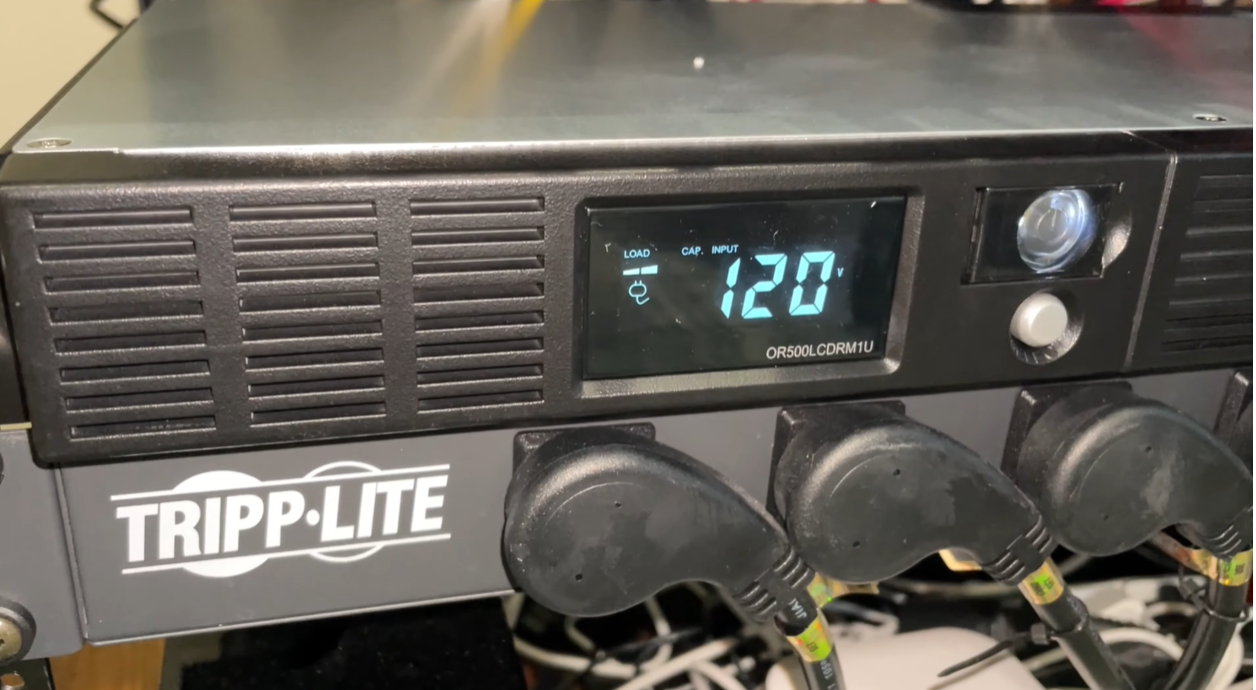
Power flickers were quietly wrecking my smart home. Every time the lights blinked, my router, my hubs, and half my network gear would drop and reboot, which meant devices going offline and me walking over to check what died. So I finally added the CyberPower 500VA Smart App LCD UPS to my rack to stop it. This is a 1U rack mount battery backup built for exactly this problem, and after living with those reboots for months, I wanted the fix more than I wanted the perfect spec sheet.
I didn’t buy this to survive a blackout. I bought it to ride out the flickers, dips, and brief outages that trip up a smart home setup, and that’s where it earns its spot.
What the Smart App LCD UPS Actually Is
It’s a 500VA / 300W uninterruptible power supply in a 1U rack size. The full name is the CyberPower OR500LCDRM1U Smart App LCD UPS, and it does three jobs: battery backup, surge protection, and automatic voltage regulation. It uses a simulated sine wave output, which matters because it’s meant for network devices and servers that don’t rely on Active PFC power supplies. Translation: great for routers, switches, and hubs, not the right pick for a modern desktop PC.
You get six NEMA 5-15R outlets. Four are battery backup plus surge protected, and two are surge only. The input is a 15A NEMA 5-15P plug on a 10 foot cord, which gave me enough slack to route it cleanly in the rack. The multifunction LCD panel is the part I use most, showing runtime in minutes, battery status, and power conditions at a glance.
Installing It Into a Standard Rack
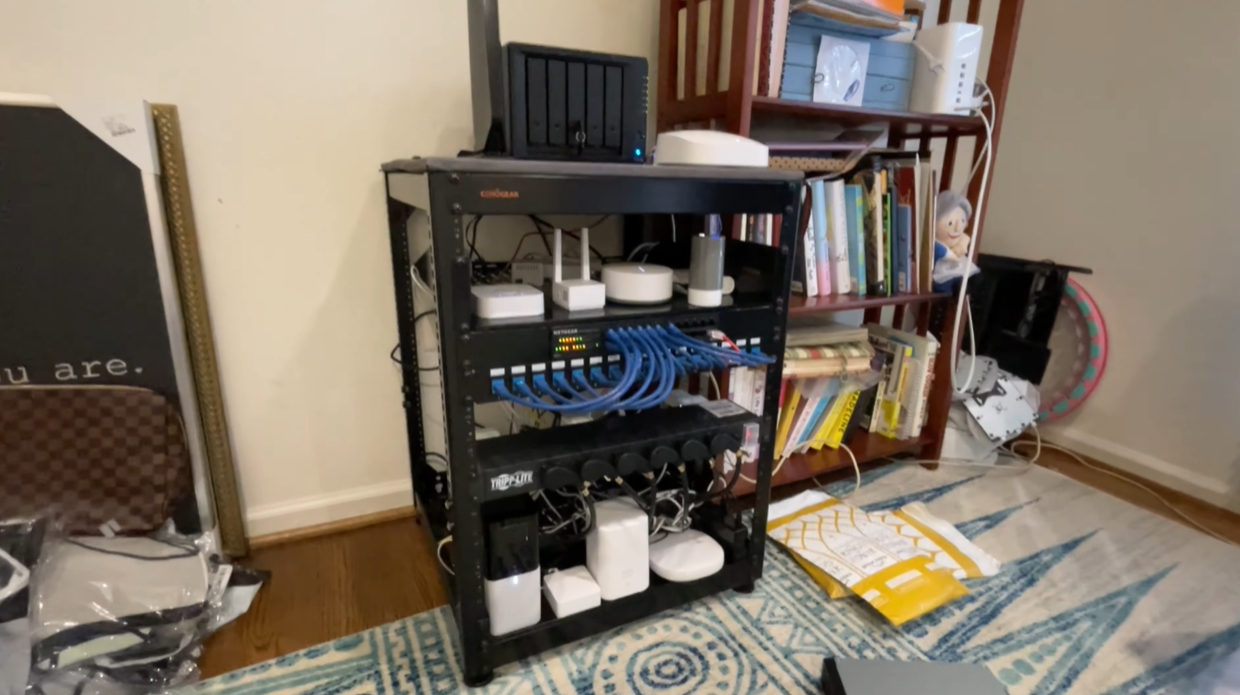
It slotted into my rack in under ten minutes, rails in, unit in, four battery outlets claimed by the router and hubs, two surge-only outlets handed off to a label printer and a spare switch. The only mild surprise is that CyberPower doesn’t include rack ears in every retail package, so confirm yours before you assume it ships ready to mount.
One thing worth flagging on weight. These little rack UPS units are heavier than they look because the battery is inside, so mounting it is a two-hands job and you’ll want your rack rails solid before you rest it in. The 10 foot cord gave me room to reach the outlet without an extension, which is more than I can say for a lot of gear in my rack.
Runtime Is Minutes, Not Hours
Here’s the limit: at 300W this is not a long-haul backup. If you load it up, you’re looking at a short window measured in minutes, and the LCD tells you exactly how many. That sounds like a downside until you remember what I bought it for. The flickers and brief outages that were rebooting my network last a few seconds to a minute or two. This rides right through those.
The AVR, automatic voltage regulation, is the underrated hero here. It corrects minor power fluctuations without even switching to battery, so those small dips that used to knock my gear offline just get smoothed out. The battery only kicks in when the power fully drops. If you’re expecting to keep a whole home lab alive through a real blackout, this isn’t that. If you want your smart home to stop rebooting itself every time the grid hiccups, this is exactly that.
The Network Card Costs Extra
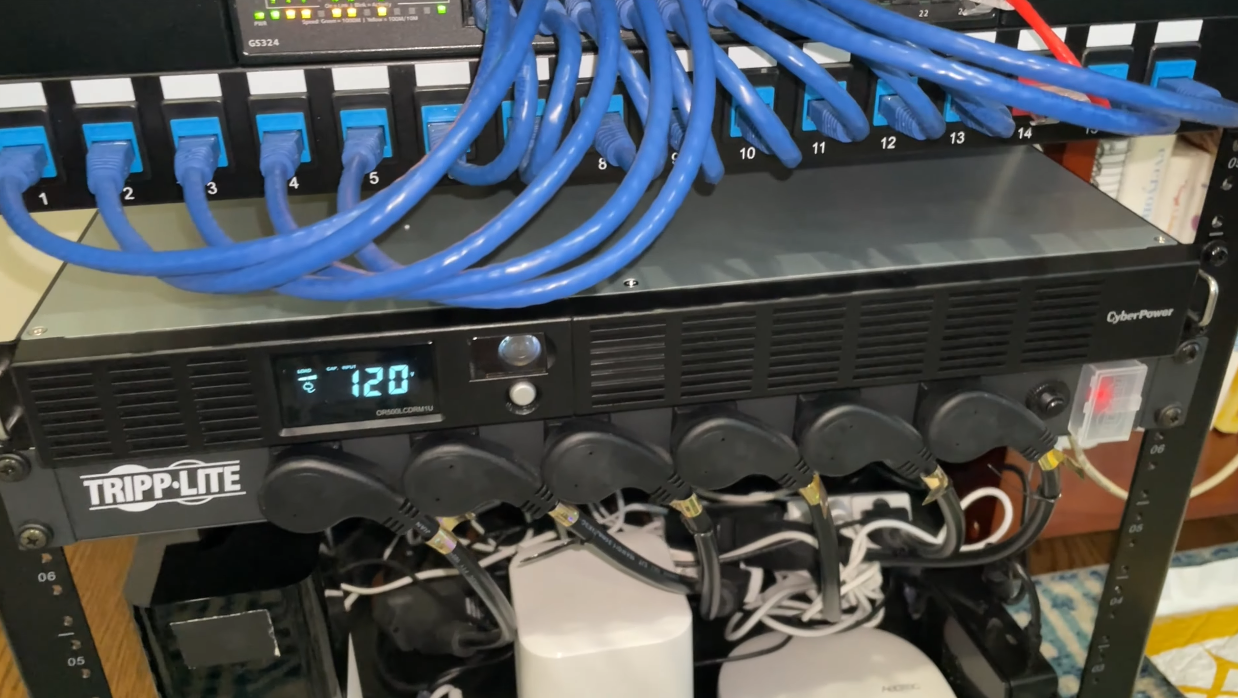
Remote management is not included. The LCD panel on the front is great for a quick glance, but if you want real network monitoring, so you can check status or get alerts remotely, you need the optional RMCARD205 management card, and that’s a separate purchase. For a home network rack that’s a mild annoyance rather than a dealbreaker, but it’s the kind of thing the spec sheet lists in passing and buyers miss until the box is open.
If you’re running this purely to protect gear and you check the rack in person anyway, you’ll probably never need the card. Just don’t buy this expecting SNMP monitoring on day one.
Get it now
CyberPower 500VA Rack Mount UPS
Get the best price on Amazon →As an Amazon Associate I earn from qualifying purchases.

Who This Is For
The sweet spot is a home network rack with four to six devices, a router, a managed switch, a couple of smart home hubs, where you’ve watched everything drop and reboot every time a storm rolls through. At 300W ceiling and four battery outlets, that’s exactly the load this is sized for. Push past it with a NAS, a mini PC, and a display and you’ve already outgrown it.
It’s not for someone trying to keep a gaming PC or a heavy server alive through an extended outage. That’s a bigger UPS, bigger battery, bigger budget. This is the budget-friendly protection layer for the equipment that quietly runs your house.
Rack UPS vs a Tower UPS
A tower UPS gets you more capacity for the money, plain and simple. If runtime is your top priority and you don’t care about rack aesthetics, a floor-standing tower unit at a similar price often carries a bigger battery. That’s the trade-off, and it’s a real one.
Where this 1U CyberPower wins is fit and finish inside a rack. It mounts flush, it doesn’t sit on the floor collecting dust, and the LCD faces out so you read it without crouching. For a clean smart home rack, that integration is worth the slightly smaller battery. If your gear lives in a rack, buy the rack unit. If it lives on a shelf in a closet, a tower is probably the smarter spend.
Advice Before You Buy
Add up the wattage of what you’re plugging in before you order. At 300W it’s easy to overload if you throw everything at it, and the whole point is to protect your critical gear, so prioritize routers and hubs on the four battery outlets and let the less important stuff live on the surge only pair.
Set your expectations on runtime up front so you’re not disappointed. Think of it as a bridge through flickers and brief outages, not a generator. And if remote monitoring matters to you, budget for the RMCARD205 at the same time instead of finding out later. The 3 year warranty covering the batteries is a nice safety net given the battery is the part that ages first.
Pros
- Stops network gear from rebooting on flickers and brief outages
- Compact 1U form factor mounts clean in a standard rack
- AVR smooths minor voltage dips without draining the battery
- LCD panel shows runtime, battery status, and power conditions at a glance
- 3 year warranty that includes the batteries
Cons
- Runtime is minutes, not hours, at its 300W rating
- Remote network monitoring needs the extra RMCARD205 card
- Simulated sine wave means it’s not ideal for Active PFC desktop power supplies
- Heavier than it looks, so mounting is a two-hands job
What we’d improve
Two things that wouldn’t be hard for the next version to fix:
- Include basic network monitoring, bundling even a simple management option instead of selling the RMCARD205 separately would make this a no-compromise home lab pick.
- Add a second bank of battery outlets, with only four battery backup outlets, a rack full of gear fills them fast and pushes the rest onto surge only.
Frequently Asked Questions
Can this run a desktop PC during an outage?
Not ideally. It uses a simulated sine wave and is built for network devices and servers without Active PFC power supplies, so modern desktop PSUs can behave oddly on it. Stick to routers, switches, hubs, and similar network gear.
How long will it power my gear?
Minutes, not hours, and it depends on your load against the 300W rating. The LCD panel shows the exact runtime in minutes for your setup. It’s designed for brief outages and power fluctuations, not extended blackouts.
Does it fit a standard rack?
Yes, it’s a 1U rackmount unit that slots into a standard rack. Just make sure your rails are solid before you rest it in, because the internal battery makes it heavier than a typical 1U component.
Do I need the RMCARD205 to use it?
No, it works fully as battery backup, surge protection, and AVR without it. The RMCARD205 is only needed if you want remote network management and monitoring, and it’s a separate purchase.
How many devices can I plug in?
Six outlets total: four are battery backup plus surge protected, two are surge only. Put your critical network gear on the four battery outlets and less important devices on the surge pair.
Can I replace the battery when it wears out?
CyberPower UPS units use replaceable batteries, and the 3 year warranty covers the battery, which is the part that ages first. When runtime starts dropping years down the road, a fresh battery revives it instead of forcing a whole new unit.
Is it noisy in a home setup?
In normal operation it’s silent, no fan, no hum. When power drops and it switches to battery, it beeps: three short bursts, then one every few seconds until power returns. That’s audible from across a room, which is fine in a dedicated network closet and mildly annoying if your rack lives in a bedroom. There’s no way to silence it from the front panel.
Does it protect against surges too, or just outages?
Both. All six outlets are surge protected, and it carries a $300,000 connected equipment guarantee. The AVR also corrects everyday voltage fluctuations before they ever reach your gear.
Get it now
CyberPower 500VA Rack Mount UPS
Get the best price on Amazon →As an Amazon Associate I earn from qualifying purchases.