SABRENT VOLTIK 252W USB Charging Station with 8 Ports
I tested the SABRENT VOLTIK 252W charging station with a MacBook Pro, tablets, and accessories at once. Here's how the 8 USB ports and LCD held up.
As an Amazon Associate I earn from qualifying purchases.
Quick Verdict
Eight ports, one plug, and an LCD that tells you exactly what each device is pulling, the SABRENT VOLTIK handles USB USB connections and more without requiring me to hunt for a free outlet. It swallowed my MacBook Pro, a couple of tablets, and a pile of accessories. The catch is the 252W is a shared budget, not eight full-power lanes.
Buy if you:
- Charge a laptop, phone, tablet and accessories from one desk spot
- Want a real-time LCD showing wattage, voltage and temperature per port
- Are tired of a power strip crammed with mismatched wall bricks
- Care about UL certification on something drawing this much power
Skip if you:
- Expect all 8 ports to hit peak wattage at the same time, because they share one 252W pool
- Only ever charge one phone, so this is massive overkill
- Want a silent unit, since the fan does spin up under heavy load
Clicking takes you to the seller's website. We may earn a small commission if you purchase, at no extra cost to you.
The Desk Brick: USB Replaces Six Wall Plugs
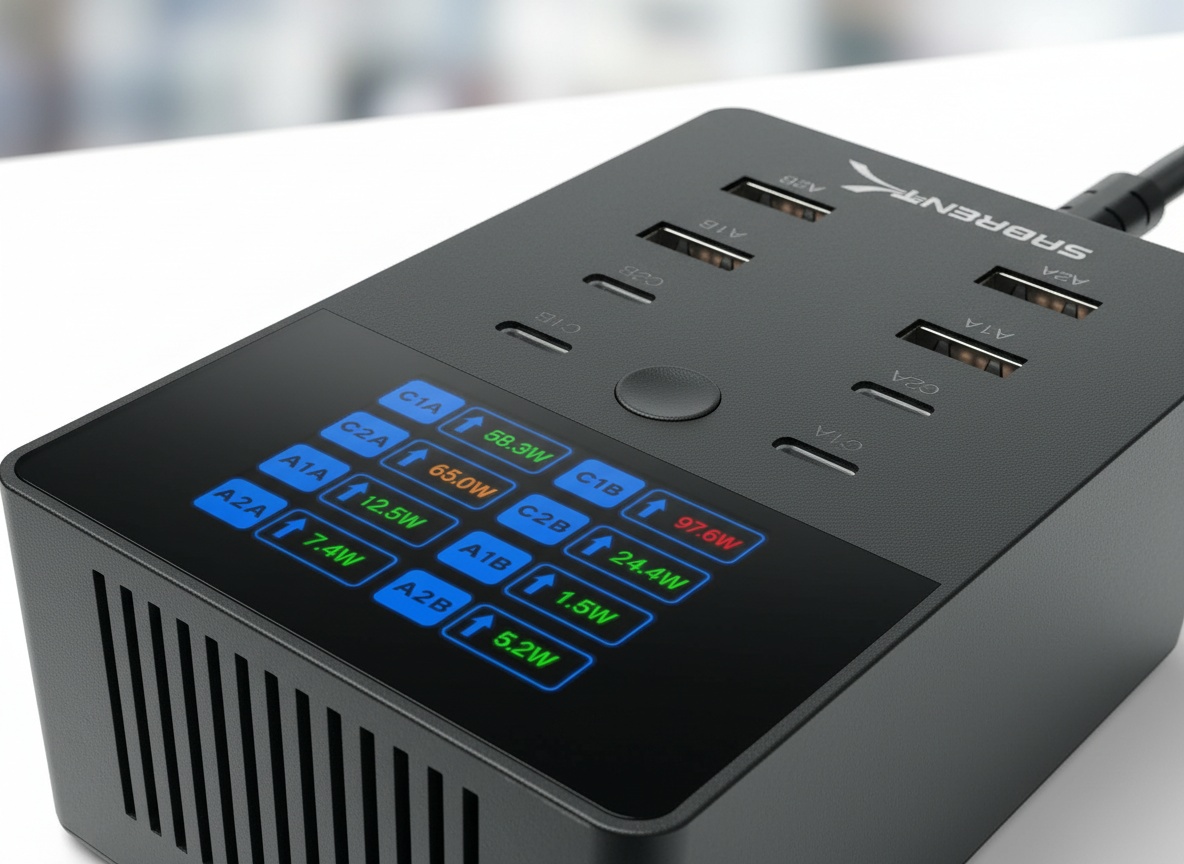
I plugged in a MacBook Pro, two tablets, and a fistful of accessories, and the SABRENT VOLTIK powered all of them from a single outlet. That’s the whole pitch, and it mostly delivers. This is the SABRENT VOLTIK Charging Station, a 252W desktop charger with 8 USB ports and a color LCD on the front, and you can check the current price on Amazon here. If your desk looks like a nest of wall bricks fighting over one power strip, this thing is aimed squarely at you.
The reason I wanted to test it is simple. Most multi-port chargers cheap out somewhere. Either the ports are weak, the build feels like a toy, or there’s no way to know what’s charging fast and what’s crawling. This one tries to fix all three, and the USB USB port layout, four USB-C plus four USB-A, covers pretty much everything I own.
252W, 8 Ports, and an LCD That Talks Back
252W total, spread across 8 ports, is the headline number. The four USB-C ports go up to 100W each, enough for a laptop, and the four USB-A ports top out at 18W each, sized for phones, earbuds, and watches. The important word is shared. That 252W is one budget spread across all ports, so a single port only hits its 100W ceiling when the others are lightly loaded. Load everything up and the power gets divided.
The front LCD is the part I kept coming back to. You cycle through each of the 8 ports and it shows live wattage, voltage, amperage, and even the internal temperature. Most chargers ask you to trust that they’re working. This one shows the receipts.
How It Handled a MacBook Pro and a Full Desk
The MacBook Pro locked onto a USB-C port immediately, and the LCD showed the wattage climbing to meet it, no guessing whether it was actually fast-charging. Once I stacked on two tablets, a phone, and a portable battery, I could watch the numbers shift in real time as the 252W pool redistributed. That readout is what separates this from every dumb multi-port brick that just blinks a light at you.
The build is heavy-duty, the kind of weight that keeps it planted when you’re yanking cables out. There’s also a wall mount option, so if you’d rather get it off the desk entirely, you can hang it. That surprised me for a charger this size.
The Fan Is Real Under Heavy Load
Push it hard and the built-in fan spins up. It’s not obnoxious, but it’s there, and on a quiet desk you’ll notice it once you’re pulling serious wattage through several ports at once. With light loads it stayed quiet. It’s the trade-off you accept for cramming 252W into one compact block, and I’d rather have active cooling than a charger that runs hot and throttles. Still, if you work in a silent room and hate any hum, that’s worth knowing before you buy.
Get it now
SABRENT VOLTIK 252W Charging Station
Get the best price on Amazon →As an Amazon Associate I earn from qualifying purchases.

Who This Charger Actually Makes Sense For
The sweet spot is a desk where a laptop, tablet, phone, and at least a couple of accessories need power simultaneously, the kind of setup where you’re currently running two wall bricks and a USB hub and still losing. Content creators and remote workers hit that threshold fast. For families, the four USB-A ports alone solve the nightly phone-charger argument without anyone buying a second power strip.
If you’re a one-phone person, skip it, you’d be paying for seven ports you’ll never use and living with a fan that spins up whether you need 252W or 18W. Buy it for the scale.
What I’d Tell You Before Buying
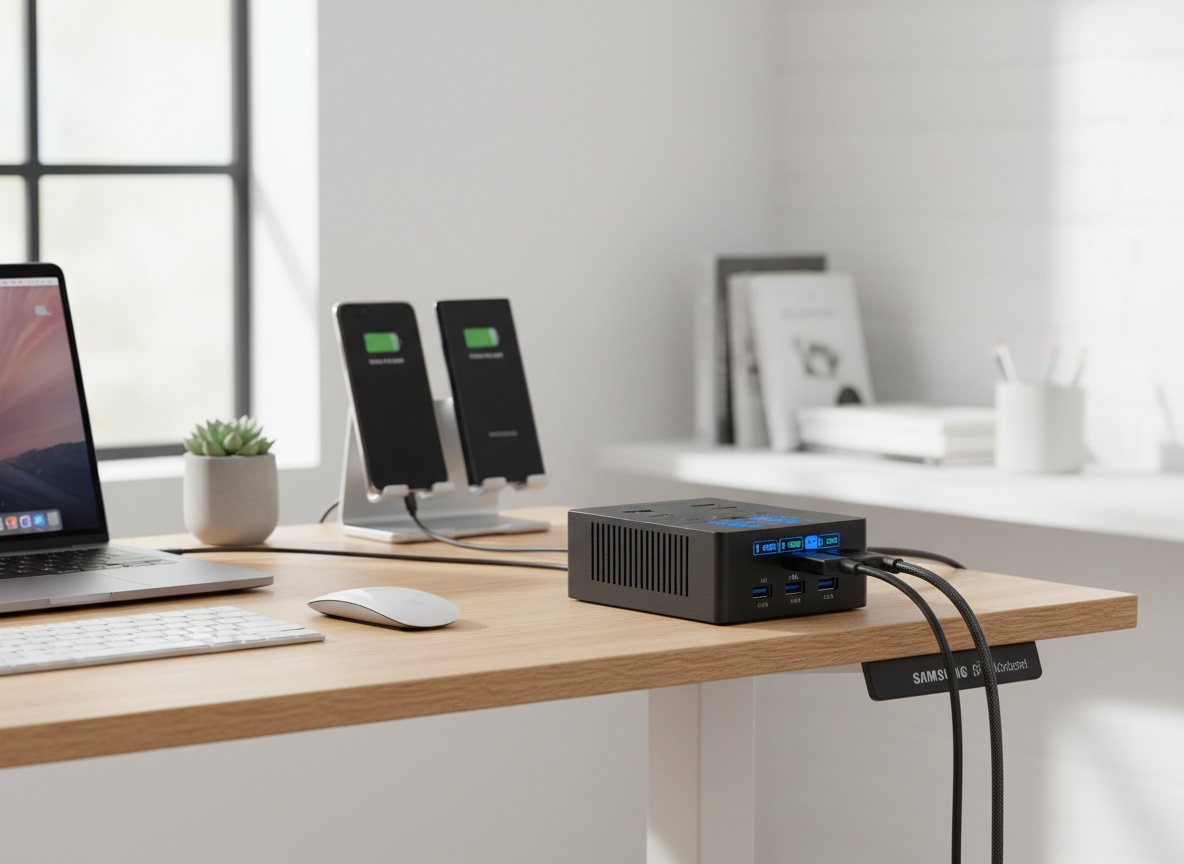
Do the math on the shared 252W before you assume it’ll blast a 100W laptop and seven other devices at full tilt at once. It won’t, and it doesn’t claim to. Plan your heaviest device onto a USB-C port and let the accessories fill in around it. Use the LCD to double-check anything that’s charging slower than expected, then move that cable to a less-loaded port. That per-port readout is the feature that makes managing all of this painless.
Pros
- 8 ports (4x USB-C, 4x USB-A) from one 252W desktop unit
- Color LCD shows live wattage, voltage, amperage and temperature per port
- Handled a MacBook Pro plus tablets and accessories together
- Heavy-duty build that stays put, plus a wall mount option
- UL certified with overcharge, overcurrent and overheat protection
Cons
- The 252W is shared, so ports won’t all hit peak wattage at once
- Fan becomes noticeable under heavy load
- Overkill if you only ever charge one or two devices
Frequently Asked Questions
Can it charge a MacBook Pro at full speed?
Yes, a single USB-C port delivers up to 100W, which covers most MacBook Pro models. Just remember that if you’re loading up several other ports at the same time, the shared 252W budget means your laptop may not sit at its absolute peak the whole time.
Does it work with Samsung and other Android fast charging?
Yes. It supports PD 3.0, PPS, QC 4.0 and QC 3.0, so Samsung’s PPS-based fast charging and Qualcomm Quick Charge devices are covered. Compatibility comes down to your specific phone and cable, but the standards it supports are broad.
Do I need an app or account to use it?
No. There’s no app, account, or subscription. You plug in devices and read everything off the built-in color LCD by cycling through the ports. It’s fully self-contained.
How loud does the fan actually get?
Quiet under light loads and noticeable under heavy ones. If you’re only charging a phone or two, you likely won’t hear it. Once you’re pulling serious wattage across multiple ports, the fan spins up with a low hum.
Can I mount it to a wall?
Yes, there’s a wall mount option, so you can get it off the desk if you’d rather hang it. It works fine as a standard desktop hub too, and the heavy build keeps it stable either way.
Is it safe to leave charging overnight?
It’s UL certified with protection against overcharge, overcurrent, overheating, and short-circuits, which is more than a lot of no-name chargers can say. That certification is a big reason I’d trust it running a full desk unattended.
What’s the difference between the USB-C and USB-A ports?
The four USB-C ports go up to 100W each and are meant for laptops and tablets. The four USB-A ports max out at 18W each and are sized for phones, earbuds, watches, and other accessories, not for powering a laptop.
Does it come with cables?
Plan on using your own cables for each device. The station is the power hub and the ports, so you’ll want quality USB-C and USB-A cables rated for the wattage your devices pull, especially for the 100W laptop charging.
Get it now
SABRENT VOLTIK 252W Charging Station
Get the best price on Amazon →As an Amazon Associate I earn from qualifying purchases.