Homey Pro Smart Home Hub Review: Worth It?
A first-look unboxing of the Homey Pro, the seven-protocol smart home hub that tries to replace your whole shelf of bridges. Here's what's in the box.
As an Amazon Associate I earn from qualifying purchases.
The moment I pulled the Homey Pro from its box, I counted seven radios in one palm-sized puck: Wi-Fi, Bluetooth Low Energy, Zigbee 3.0, Z-Wave, Thread, Matter, 433MHz RF, and infrared. That’s the whole pitch, and it’s a better one than it sounds on a spec sheet. Wi-Fi, Bluetooth Low Energy, Zigbee 3.0, Z-Wave, Thread, Matter, 433MHz RF, and infrared all live inside one shell. Most people running a serious smart home end up with a drawer of separate bridges, one for Hue, one for the Z-Wave locks, another for that oddball RF blind motor. This aims to collapse all of that. You can grab it on Amazon right here if you want to follow along.
Quick Verdict
Seven radios in one puck, and that’s the whole pitch. If you’re drowning in a shelf full of separate bridges, this pro smart home hub is the box that consolidates them into one local-first device. This is a first-look unboxing, so treat the scores as a first impression, not a six-month verdict.
Buy if you:
- Own devices across Zigbee, Z-Wave, and Thread and want one hub instead of three
- Care about local-first control that doesn’t lean on the cloud
- Have old 433MHz RF or infrared gear you want pulled into automations
- Want to build automations that mix brands like Hue, Sonos, and Aqara
Skip if you:
- Wanted wired networking out of the box; Ethernet is a separate adapter accessory, not included
- Already live entirely inside one ecosystem like all-HomeKit or all-Alexa
- Prefer a cheap single-protocol hub and don’t need seven radios
| Protocols | Wi-Fi, BLE, Zigbee, Z-Wave Plus, Thread, Matter, Infrared, 433MHz RF |
|---|---|
| Processing | Local-first, on-device storage |
| Compatibility | 50,000+ devices, 1,000+ brands |
| Works with | Siri, Alexa, Google Home |
| Wired option | Optional Ethernet adapter (sold separately) |
Seven Radios In One Puck
What Comes In The Box
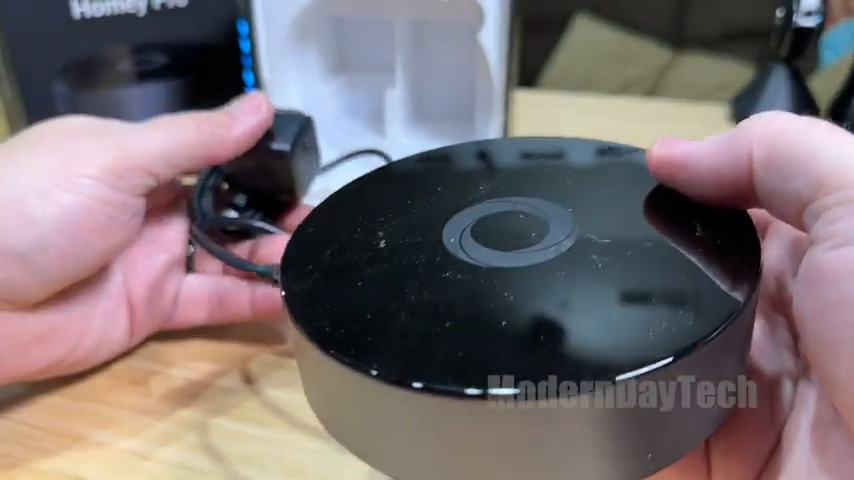
Inside the box you get the Homey Pro hub itself, its power cable, and the paperwork. That’s the core kit. The full listing name is the mouthful “Homey Pro (Early 2023) | Smart Home Hub for Home Automation,” and the marketing leans hard on that seven-protocol count. Officially it plays with over 50,000 devices from more than 1,000 brands, names like Sonos, Philips Hue, Kwikset, Govee, Aqara, TP-Link, iRobot, and Ecobee. The part worth flagging during the unboxing: the Ethernet adapter is a separate accessory. If you want wired networking instead of Wi-Fi, that’s an extra piece you buy on the side, not something that ships in the standard box.
The Local-First Angle Matters More Than The Radios
Local processing matters more than the radio count: automations run on the hub itself, not the cloud, so your home keeps working when the internet drops. The Homey Pro processes automations on the device and stores your data on the hub itself, so cloud dependency is kept to a minimum. In plain terms, your lights and locks keep responding even if your internet drops or a company’s servers hiccup. That’s a real difference from the wave of hubs that stop working the second the cloud goes dark. Homey calls its automation engine Flow: simple routines in the phone app, more complex logic in the web app. I haven’t stress-tested it yet, so hold the score, but local-first processing is the right architecture, and that part isn’t a promise, it’s a design decision baked into the hardware.
The Ethernet Adapter Is A Separate Buy
The Ethernet adapter is a separate purchase, not included in the box despite the premium positioning and $200+ price tag. For a hub positioned as premium and local-first, I half expected an Ethernet port built in or at least an adapter tucked in the box. Instead, wired networking is an optional accessory you add later. If your hub lives in a spot with shaky Wi-Fi, or you just prefer a wired connection for a device this central to your home, budget for that extra piece up front. It’s not a dealbreaker, but it’s the kind of thing the marketing bullet points glide right past, and it’s worth knowing before you check out.
Get it now
Homey Pro
Get the best price on Amazon →As an Amazon Associate I earn from qualifying purchases.

Who This Hub Actually Fits
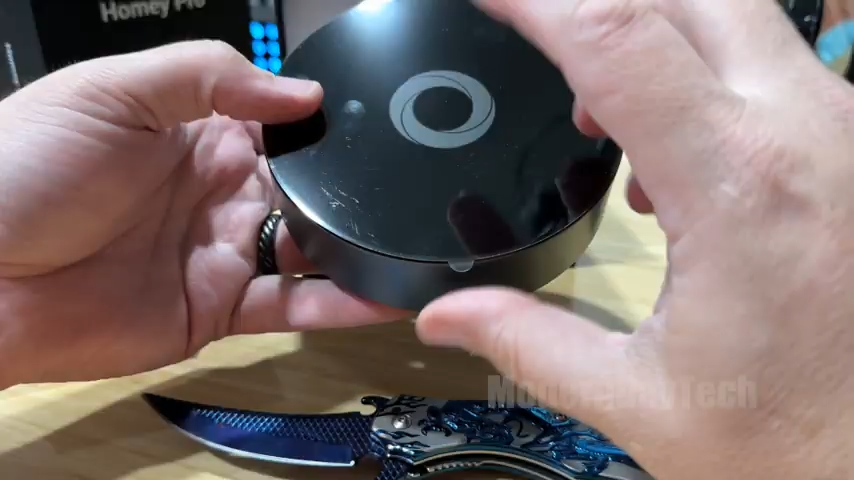
Buy it if you own Zigbee sensors, Z-Wave locks, Thread devices, and old RF gear simultaneously and want one hub instead of four. If you started with a couple of smart bulbs and now own Zigbee sensors, Z-Wave locks, a Thread device or two, and some ancient RF gadget you refuse to throw out, the Homey Pro is built to swallow all of it. The seven radios plus support for 50,000-plus devices means you’re rarely locked out of a brand. It also fits the privacy-minded crowd who like the idea of automations living on their own hardware instead of someone else’s server. If you’re all-in on a single ecosystem already, though, this is overkill you don’t need.
Homey Pro vs A Stack Of Single-Protocol Bridges
One Homey Pro replaces three-to-four dedicated bridges and consolidates four apps into one, but costs more upfront and fails catastrophically if it goes down. A Hue bridge, a SmartThings dongle, a Z-Wave stick, each one is inexpensive on its own. Stack three or four together and the Homey Pro starts looking reasonable, plus you drop from four power plugs and four apps to one. The trade-off is: a single dedicated bridge can be rock solid at its one job, while an all-in-one asks you to trust one device with everything. If that one hub goes down, more of your home goes with it. For people tired of juggling apps, the consolidation is the whole appeal. For minimalists with one brand, the cheaper bridge wins.
Advice Before You Order
Verify your specific locks, sensors, and speakers on Homey’s compatibility list before ordering; 50,000 devices sounds broad until your device isn’t one of them. The 50,000-device claim is huge, but you want to confirm your specific locks, sensors, and speakers are on it. Add the Ethernet adapter to your cart in the same order if wired networking matters to you, so you’re not waiting on a second shipment. Budget an afternoon for Flow setup, the hardware does nothing useful until you wire your devices into automations. The out-of-box promise is strong; whether the engine holds up across 50 devices and six months of daily use is the question the follow-up review will answer.
Pros
- Seven protocols in one compact hub, more than most competitors bundle
- Local-first processing with data stored on the device, less cloud reliance
- Support for 50,000+ devices across 1,000+ brands
- Works with Siri, Alexa, and Google Home
- Consolidates a shelf of separate bridges into one puck
Cons
- Ethernet adapter for wired networking is a separate purchase, not in the box
- All-in-one design means one hub failure affects more of your home
- Overkill if you already live inside a single ecosystem
What we’d improve
Two things that wouldn’t be hard for a future version to fix:
- Include the Ethernet adapter, for a hub this central and this premium, wired networking shouldn’t be an add-on you discover after unboxing.
- Bundle a quick-start compatibility card, a printed pointer to the compatibility checker in the box would save buyers from finding out a device isn’t supported after setup.
Frequently Asked Questions
Does the Homey Pro need a subscription to work?
No, the core hub runs locally and processes automations on the device itself. Homey does offer paid add-on services, but the main automation engine and device control live on the hub, so your basic smart home keeps functioning without a monthly fee.
Will it work with Apple HomeKit, Alexa, and Google Home?
Yes, it’s compatible with Siri, Alexa, and Google Home. That means you can bring your Homey-connected devices into whichever voice assistant you already use rather than being forced to pick one ecosystem.
Do I need the Ethernet adapter?
Only if you want a wired network connection instead of Wi-Fi. The hub works over Wi-Fi out of the box, but if your setup has weak wireless or you prefer a wired link for a device this central, the Ethernet adapter is a separate accessory you’ll want to add.
What happens to my automations if the internet goes down?
They keep running, because the Homey Pro is local-first and processes everything on-device. You lose remote control from outside your home while the internet is down, but automations tied to sensors, schedules, and switches inside the house continue working.
Can it control old 433MHz RF and infrared devices?
Yes, both 433MHz RF and infrared are among the seven built-in radios. That lets you pull older RF blinds, plugs, and IR-controlled gear like TVs and AC units into the same automations as your modern Zigbee and Thread devices.
How do I check if my specific devices are compatible?
Use Homey’s compatibility list on their website before buying. The 50,000-plus device claim covers a lot, but confirming your exact locks, sensors, and speakers ahead of time saves you the frustration of finding a gap after setup.
Is the Homey Pro worth it if I only have one brand of smart devices?
Probably not. If everything you own is one ecosystem like all Philips Hue or all Aqara, a cheaper single bridge does the job. The Homey Pro pays off when you’re mixing protocols and brands and want one hub instead of several.
Does it get software updates and new device support?
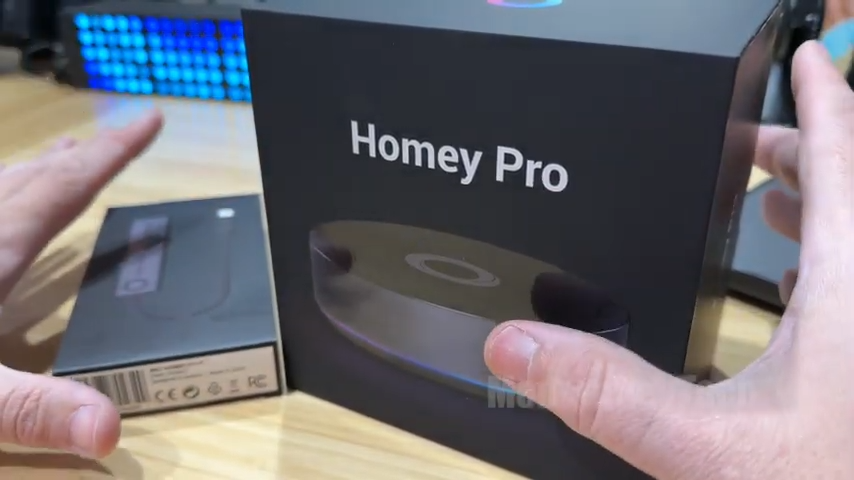
Yes, Homey adds new devices regularly and supports both official and community-built apps on its open platform. That means the device list keeps growing after you buy, rather than being frozen at whatever shipped on day one.
Clicking takes you to Amazon. As an Amazon Associate we earn from qualifying purchases — pricing and availability subject to change.
Get it now
Homey Pro
Get the best price on Amazon →As an Amazon Associate I earn from qualifying purchases.